

Contacts
This page helps you use the Contacts tab to see who you have not been in touch with and act on it.
Where contacts come from
Section titled “Where contacts come from”Contacts are synced from your Notion or Google Sheets list. Change a contact in that list and the change comes through on the next sync.
Connect your list
Section titled “Connect your list”An Admin connects the list once, at agent.<yourdomain>/setup.
- Under Where are your contacts?, choose Notion, Google Sheets, or both.
- For Google Sheets, share your sheet with the email address the page shows, paste the sheet’s address, and choose Connect.
- If your sheet has several tabs, choose the one that holds your contacts.
Members can see which sources are set up, but only an Admin can change them.
There is no file upload in the Agent. If your contacts are in a spreadsheet file, such as a CSV, import it into a Google Sheet first and connect that sheet. Your Getting started page has a sample contact sheet with the column names the Agent expects.
How contacts are sorted
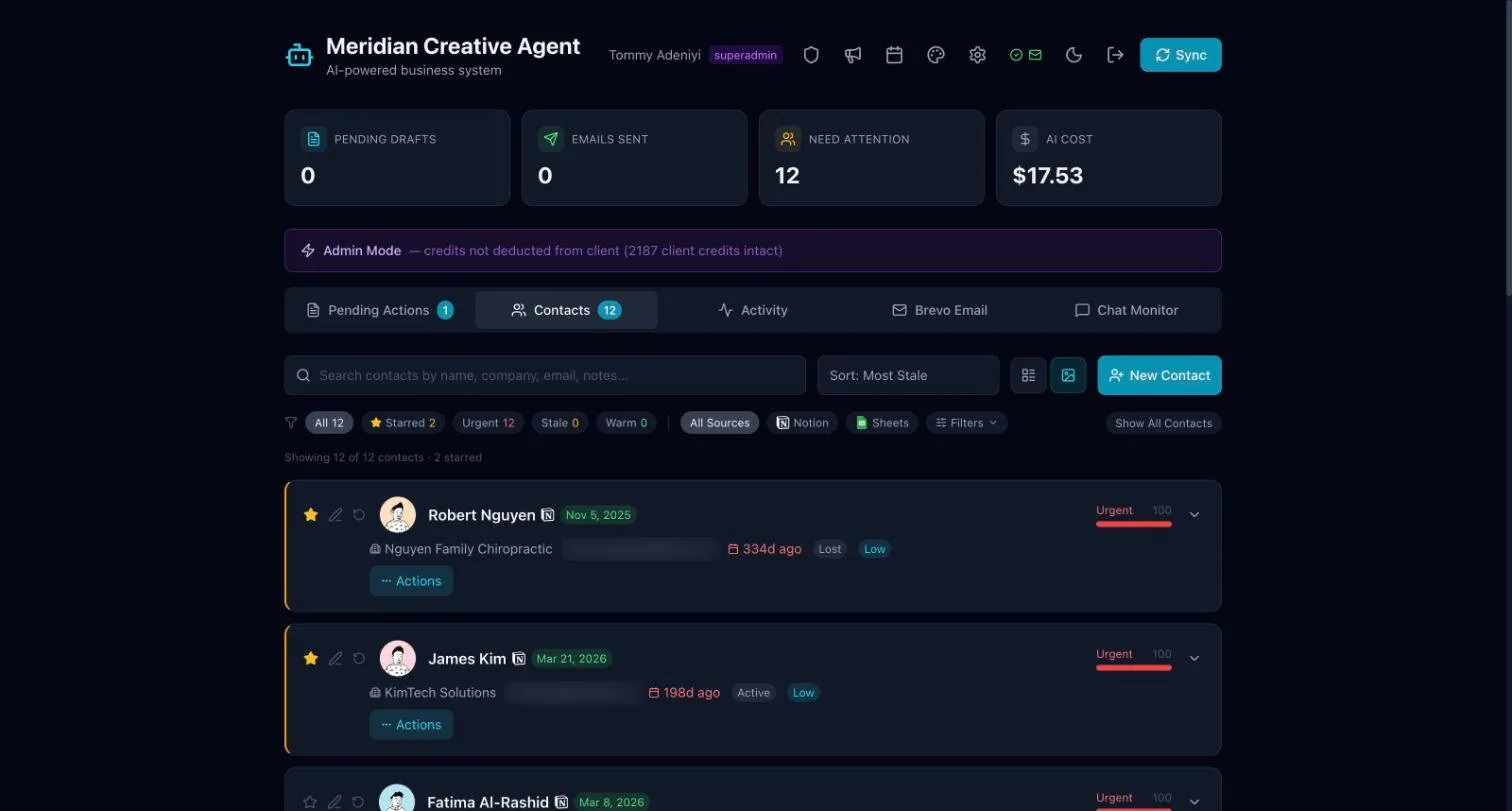
Section titled “How contacts are sorted”Each contact is scored by how long it has been since you were last in touch:
- Urgent: it has been a long time. Follow up first.
- Stale: getting overdue.
- Warm: you were in touch recently.
Work through your contacts
Section titled “Work through your contacts”- Open Contacts.
- Use the filters to show Urgent contacts first.
- Open a contact’s Actions to follow up.
Use the search box to find someone by name, company or email.