

Company settings and connected people
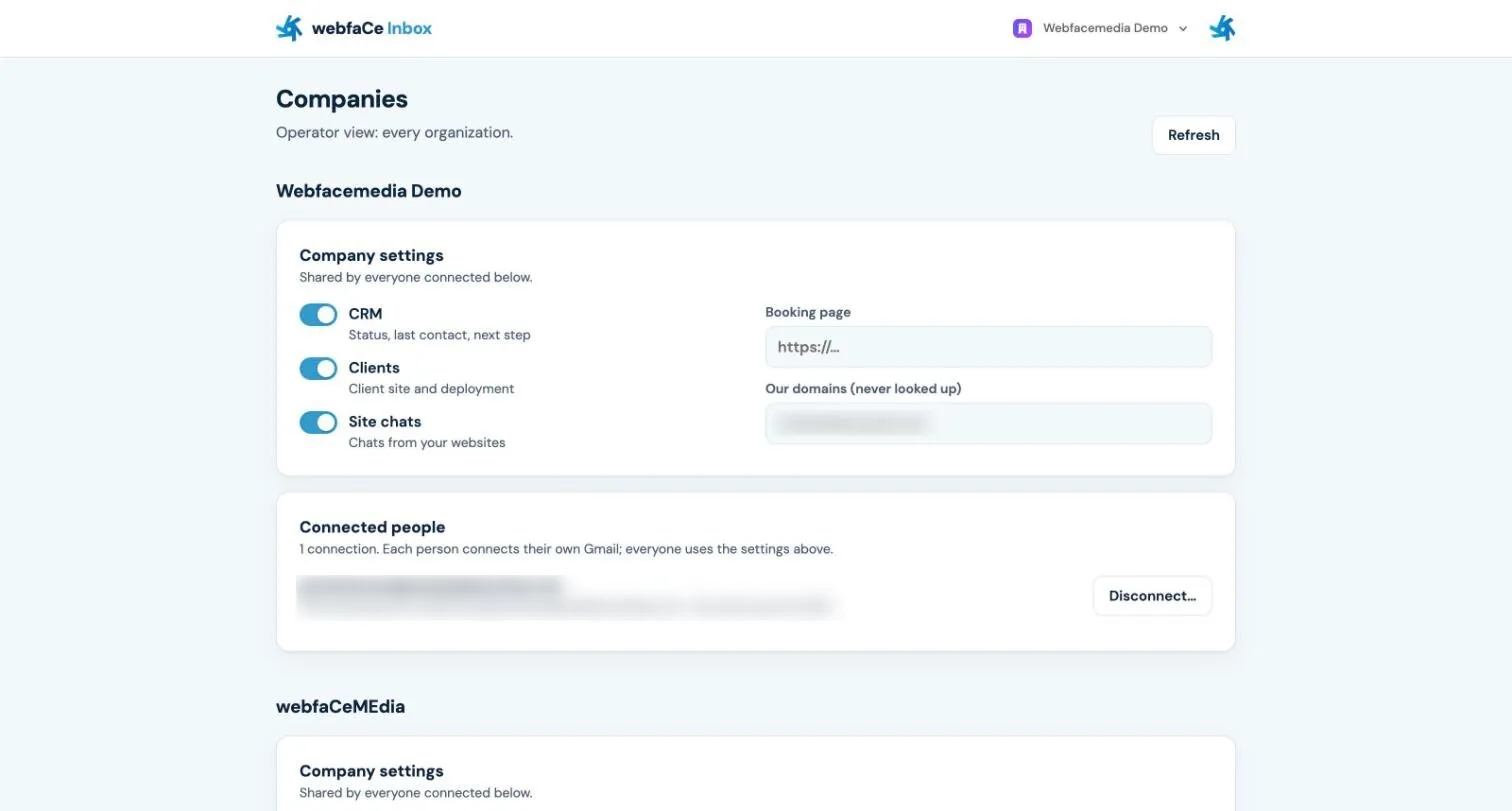
This page helps you manage the webfaCe Inbox settings for your company and see who is connected.
The webfaCe Inbox admin is at inbox.webfacemedia.com/admin.
One set of settings
Section titled “One set of settings”webfaCe Inbox has one set of company settings, shared by everyone connected. When the settings change, they change for everyone.
- Admins can change the settings.
- Members can view them.
Change the settings
Section titled “Change the settings”You need to be an Admin.
- Sign in at inbox.webfacemedia.com/admin.
- Open the company settings.
- Make your change and save.
Connected people
Section titled “Connected people”The Connected people list shows everyone in your company who has connected webfaCe Inbox. Each person connects by opening webfaCe Inbox beside an email in Gmail and choosing Connect your webfaCe account.
Connect the whole company
Section titled “Connect the whole company”If your company uses Google Workspace, a Workspace admin can connect the whole domain. Everyone on the domain then gets webfaCe Inbox without installing it one by one.