

Your website dashboard
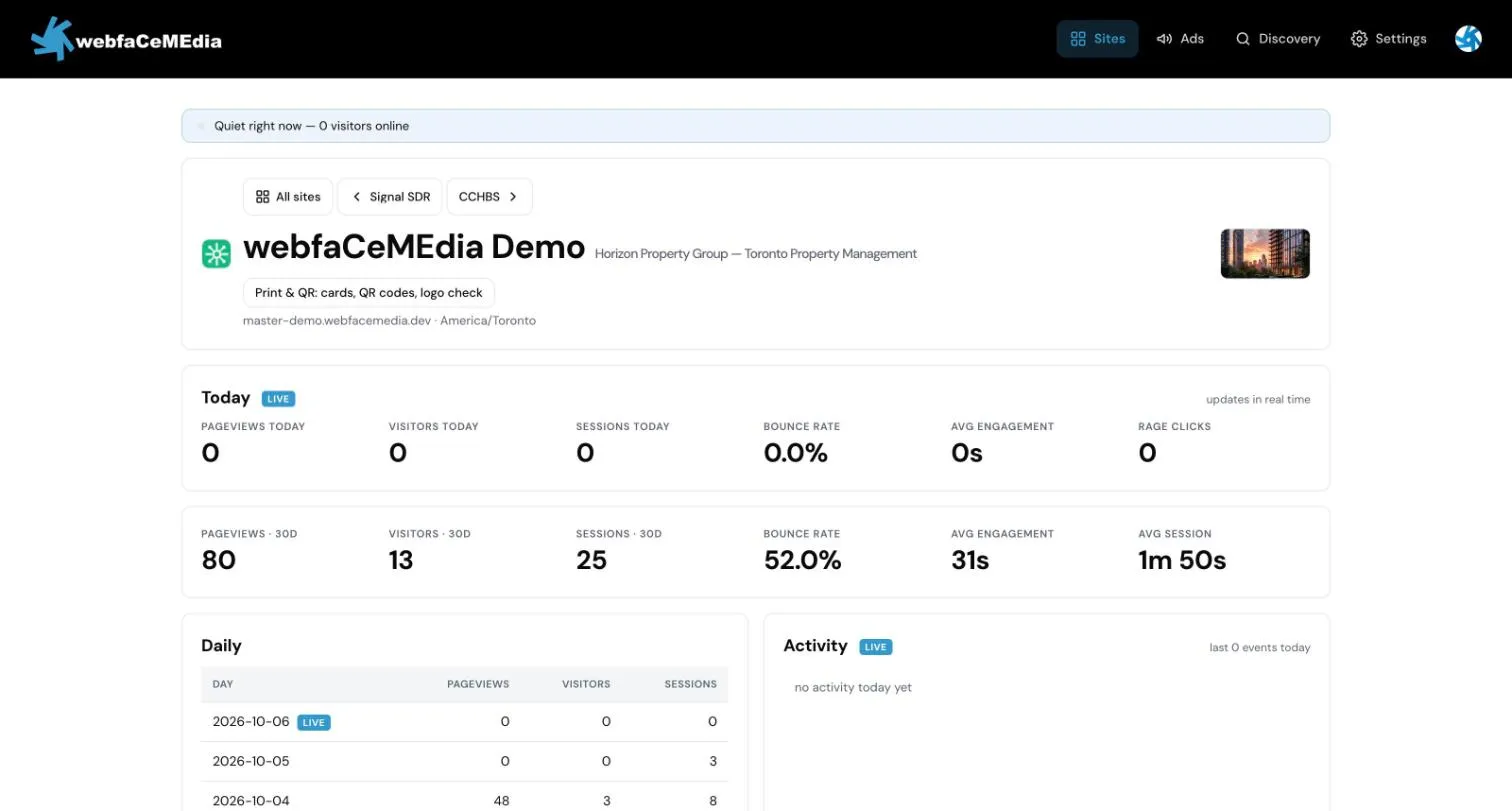
This page helps you read the Insights dashboard for your website: who is visiting now, how the last 30 days went, and what people do on your pages.
Open your dashboard
Section titled “Open your dashboard”- Sign in at insights.webfacemedia.com.
- Open Sites. You see a list of your websites.
- Choose a site. Each website has a separate dashboard.
If it says “You don’t have access”
Section titled “If it says “You don’t have access””Insights shows You don’t have access when the account you signed in with is not linked to a website yet. The page shows the email address you are signed in with.
- If it is the wrong email, choose Sign out and sign in with the account your invitation went to.
- If it is the right email, contact support@webfacemedia.com and we will link your account to your website.
The Monday email does not depend on this. The site’s owner email gets it either way. See Weekly email.
What is on the dashboard
Section titled “What is on the dashboard”Today shows live numbers for the current day: pageviews, visitors, sessions, bounce rate, engagement and rage clicks.
Last 30 days shows the same kind of numbers for the past 30 days, including average session length.
Daily is a table with one row per day: pageviews, visitors and sessions.
Activity is a live feed of what visitors are doing on the site right now.
Top pages lists the pages people view most.
Engagement shows new visitors against returning visitors, rage clicks (repeated clicking on one spot, often a sign something looks clickable but is not) and scroll depth (how far down the page people get).
Top exit pages lists the pages people were on when they left the site.
Top countries shows where your visitors are.
Enquiries lists form submissions from your site. See Enquiries.
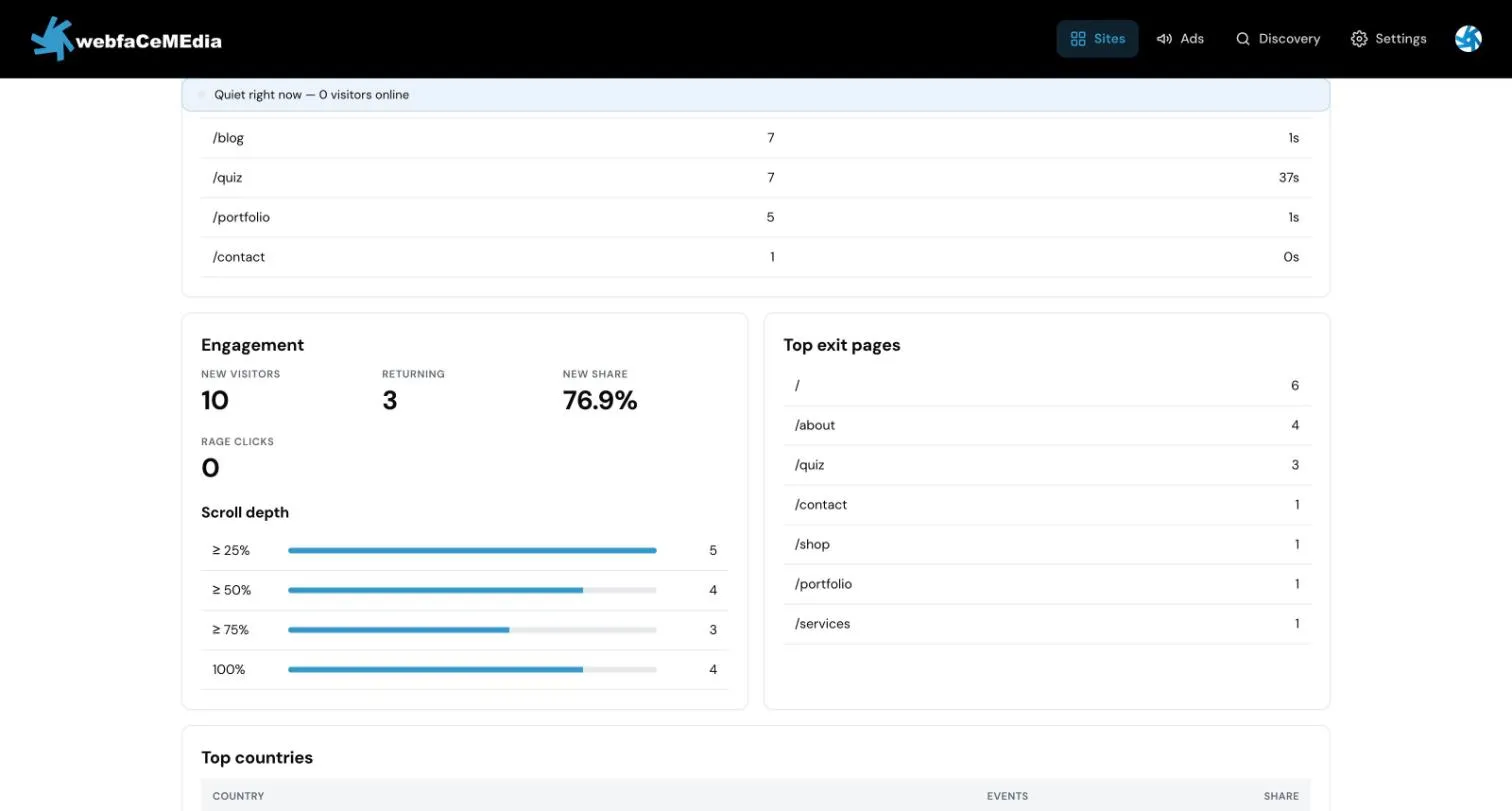
- If something looks off on one page, check it in Top exit pages and Engagement. A page with a lot of exits or rage clicks is worth a look.
- The same numbers come to your inbox every Monday if your weekly reports are on. See Weekly email.