

Overview & tabs
This page helps you find your way around your Agent dashboard and what each tab is for.
Your Agent is part of the Full plan. Open it at agent.<yourdomain> and sign in.
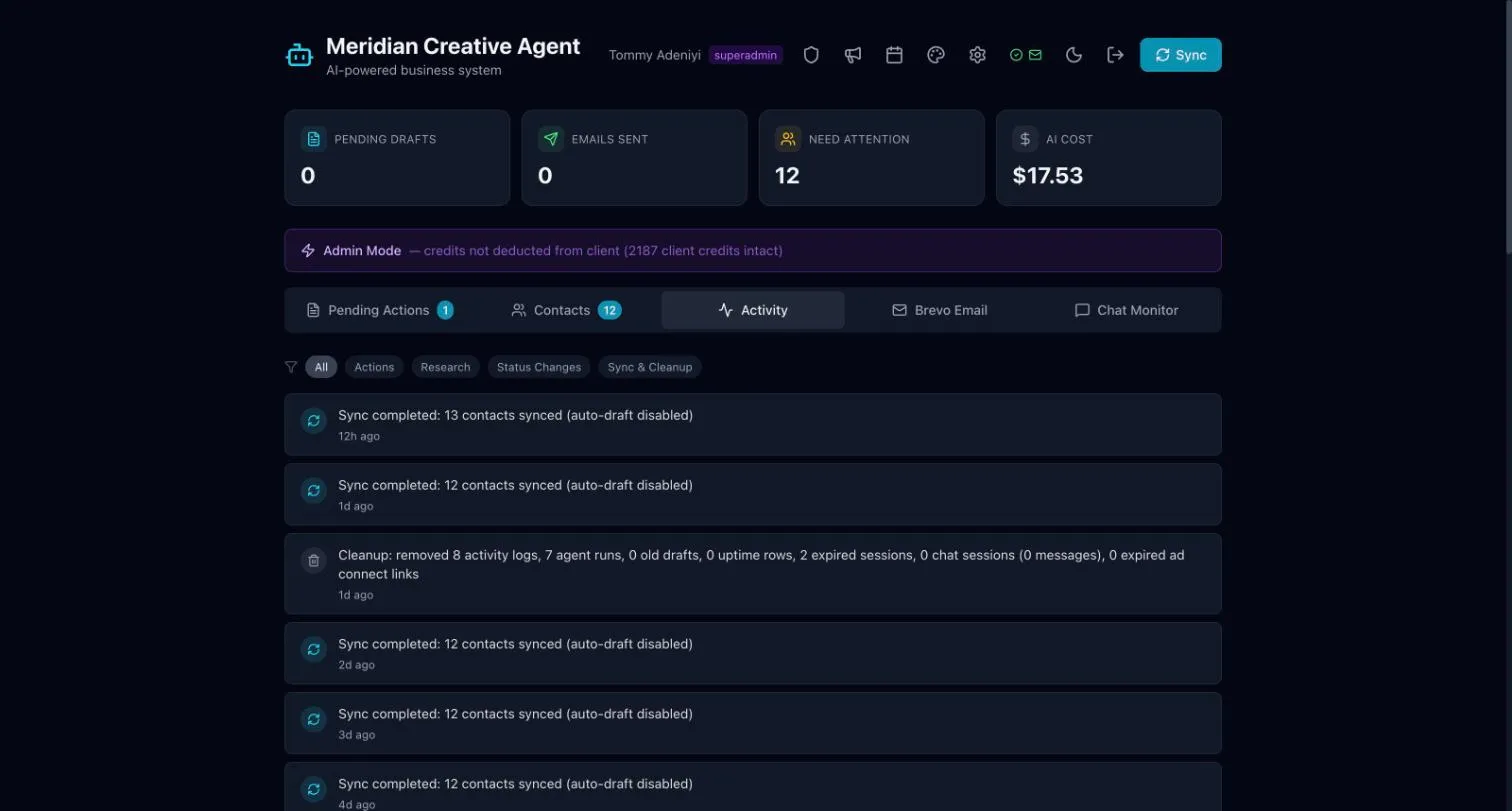
The tabs
Section titled “The tabs”| Tab | What it is for |
|---|---|
| Pending Actions | Email and call drafts waiting for you to review. See Drafts and the team queue. |
| Contacts | Your contact list, sorted by how long since you were last in touch. See Contacts. |
| Activity | A log of what the Agent has done, such as contact syncs. |
| Email marketing | Campaigns, a calendar and sequences. See Email marketing. |
| Chat Monitor | Conversations from your website chat, weekly chat reports, and text alerts for new enquiries and bookings. See Chat monitor & text alerts. |
Social posting, Creative Studio and the Admin panel open from the icons at the top of the dashboard.
The numbers along the top
Section titled “The numbers along the top”The cards above the tabs show how many drafts are pending, how many emails have been sent, and how many contacts need attention.