

Bilingual sites
This page helps you edit the English and French versions of your pages on a bilingual site.
How pages are listed
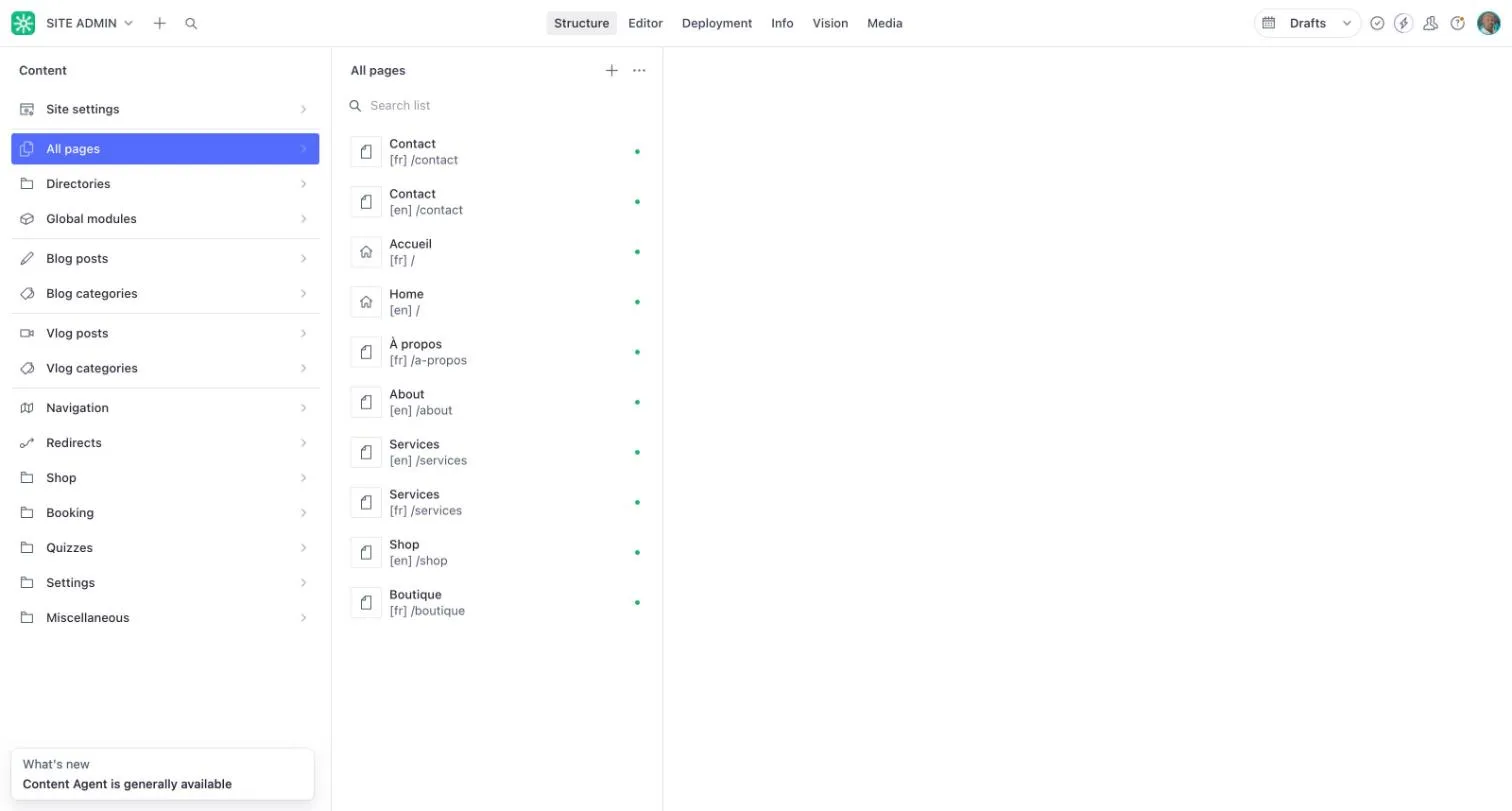
Section titled “How pages are listed”On a bilingual site, each page appears twice in All pages: once in English and once in French. The language is shown under the page name as [en] or [fr], with the page address.
For example, your contact page might appear as Contact [en] /contact and Contact [fr] /contact, and your homepage as Home [en] and Accueil [fr].
Edit both languages
Section titled “Edit both languages”- Open All pages.
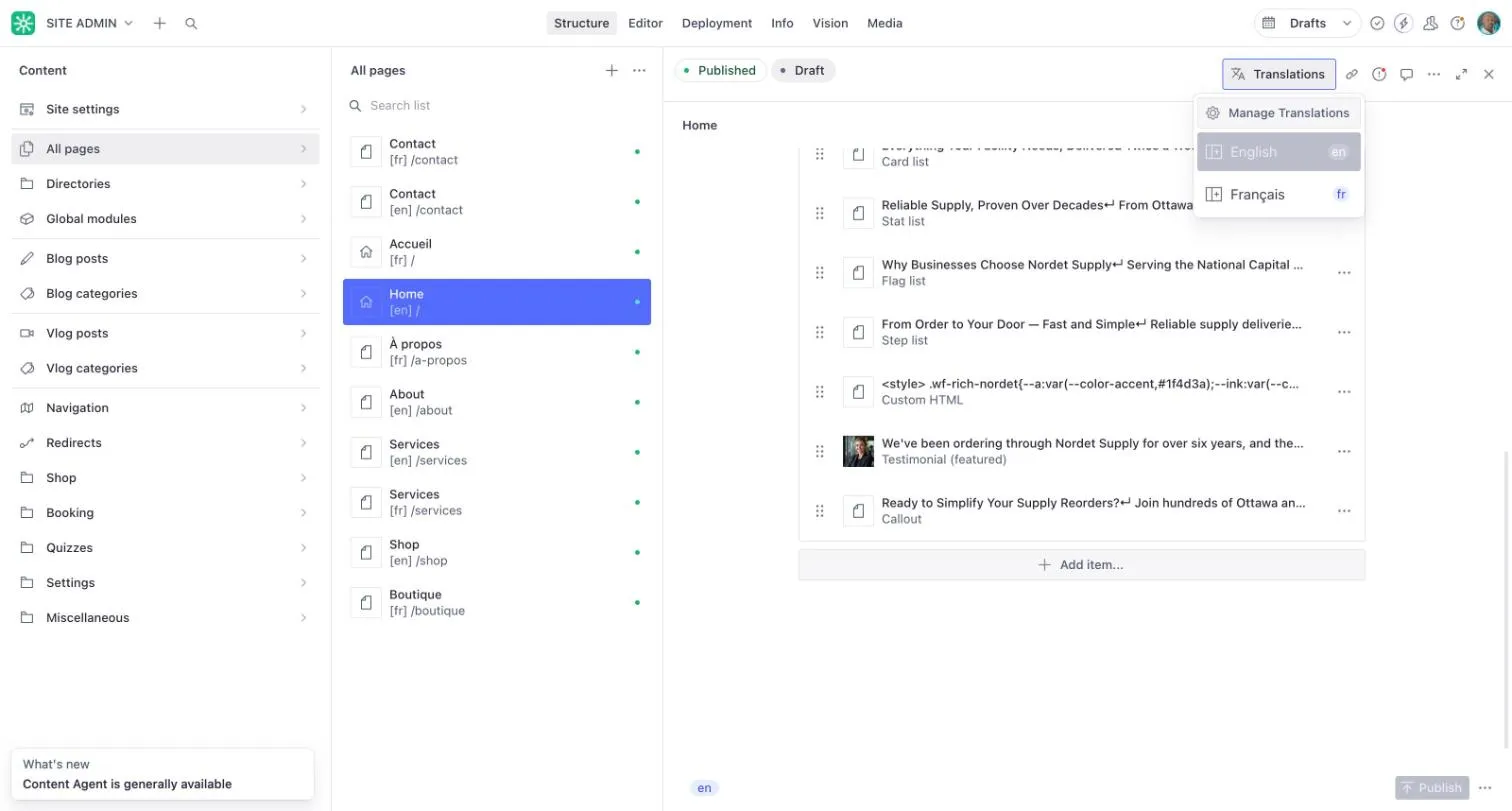
- Choose the English version of the page and make your change.
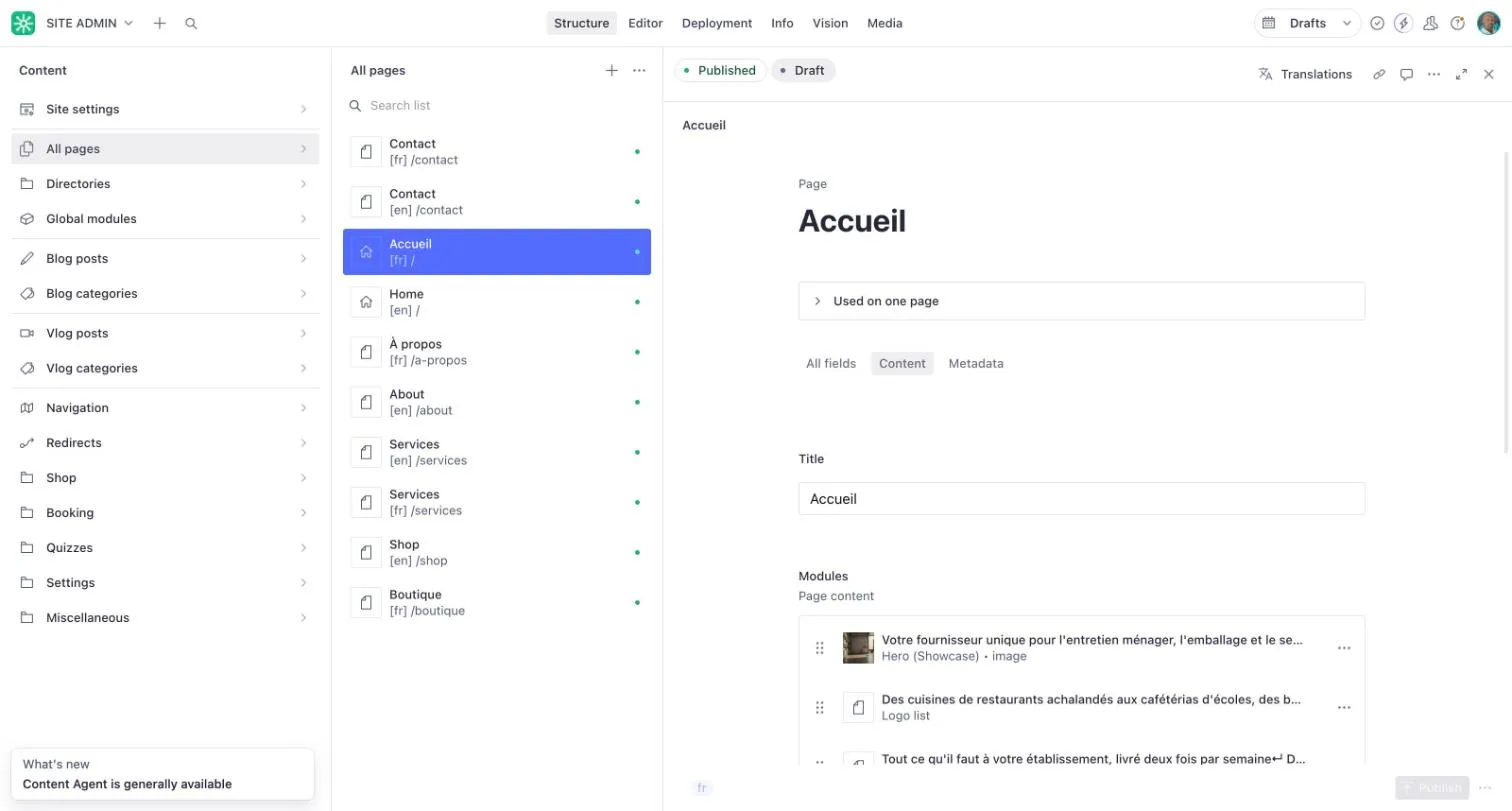
- Choose Translations at the top of the page to move to the French version.
- Make the same change in French.
- Publish each version.
Text shared by every page
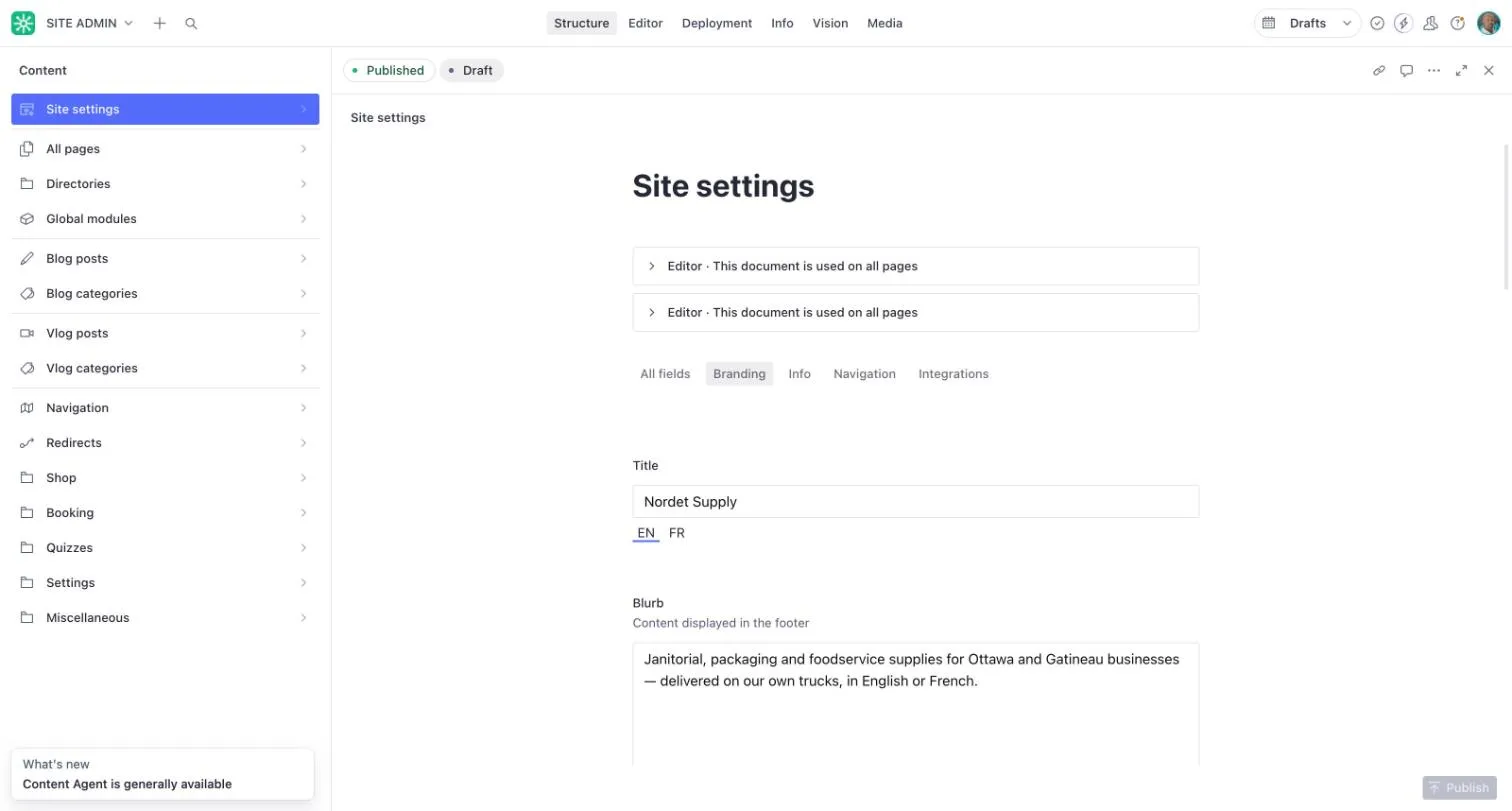
Section titled “Text shared by every page”In Site settings, fields that appear on every page have an EN and FR switch under them. Fill in both so the footer and site name read correctly in each language.
Remember to update both versions, so visitors see the same information in either language.