
Before you start
This page helps you get your YouTube channel ready and connect it to webfaCe Channels.
What you need
Section titled “What you need”- A YouTube channel. A brand channel is fine.
- Phone verification. Verify the channel at youtube.com/verify. This lets the videos have custom thumbnails.
- YouTube advanced features. In YouTube Studio, open Settings → Channel → Feature eligibility, and under Advanced features follow YouTube’s steps to get access. The links in your long videos’ descriptions are then clickable. Until then, the description shows your web address as text. Links in Shorts descriptions can’t be clicked on any channel, so every video also says your web address and shows it on the closing card.
- An admin on your Agent. Connecting the channel and approving scripts and videos need an Agent admin.
Connect your channel
Section titled “Connect your channel”- Open
agent.<yourdomain>/channels. - Under Your channel, choose Connect YouTube channel.
- Sign in to Google with the account that manages the channel, and choose the channel the videos should go to.
- Allow the access Google asks for. Channels can upload videos and read your channel’s videos and statistics. It cannot delete or edit videos already on your channel.
You come back to Channels and the channel shows Connected, with its name, handle and picture.
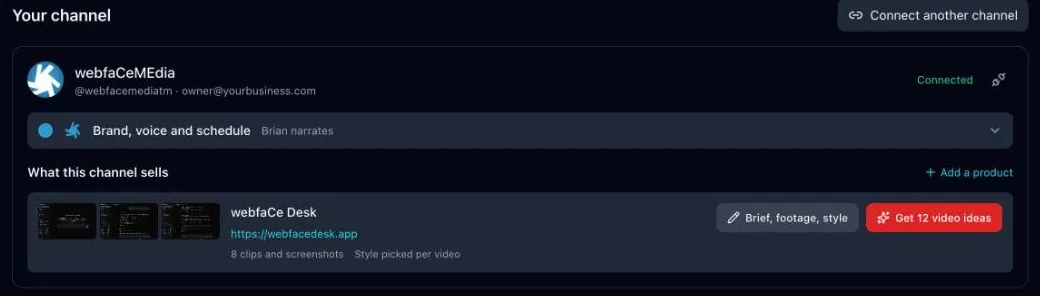
To connect a second channel, choose Connect another channel.
Set up your brand, narrator voice, products and footage. See Brand, products and footage.