
Publishing and stats
This page helps you understand when your approved videos go public and how to see their numbers.
Publishing rhythm
Section titled “Publishing rhythm”Approved videos upload to YouTube as private, then go public at the next publishing slot. The default slots are at noon, Toronto time:
| Kind | Days |
|---|---|
| Long videos | Tuesday and Thursday |
| Shorts | Monday, Wednesday, Friday and Saturday |
An Agent admin can change the days, the hour and the time zone for each channel: choose Brand, voice and schedule under the channel, then Publishing schedule. Approved videos go up private and turn public at the next free slot.
YouTube’s daily upload limit
Section titled “YouTube’s daily upload limit”YouTube limits how many videos can be uploaded each day. When the limit is reached, an approved video stays in Being made as Uploading, with the time it will upload. It uploads by itself after YouTube’s daily reset, at midnight Pacific time. You do not need to approve it again.
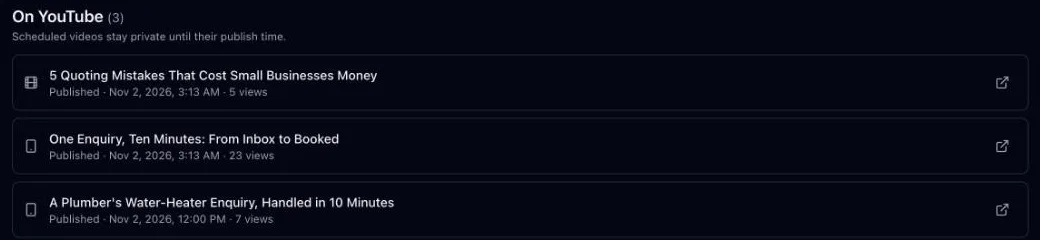
Channels shows views beside each video on YouTube. It reads views, likes and comments from YouTube every hour.
If you delete a video in YouTube Studio, Channels sees that within the hour and takes it off the list.
For more detail, open the video in YouTube Studio from the link beside it.